

Key Takeaways
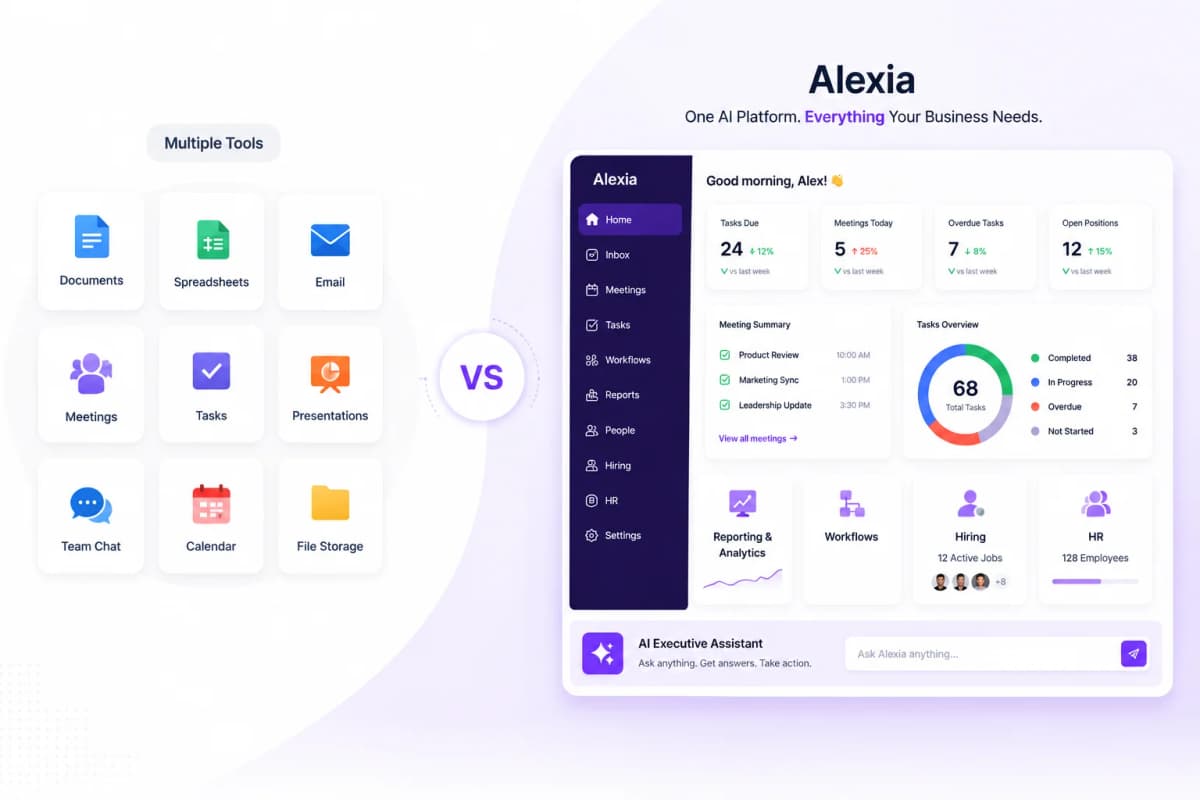
- A unified dashboard eliminates tab-switching and gives leadership one source of truth for all metrics
- The best unified dashboards pull data from 10+ sources and update in real time
- AI-powered unified dashboards surface cross-channel insights that siloed tools miss entirely
- Building a unified dashboard with AI takes minutes, not the weeks required by traditional BI tools
Why You Need a Unified Reporting Dashboard
The average business uses 40 to 60 different software tools for daily operations. Your sales data lives in a CRM, your marketing data in analytics and ad platforms, your financial data in accounting software, and your team communication in Slack or email.
Each tool has its own dashboard. Each dashboard shows one slice of your business. To see the full picture, you need to mentally stitch together information from half a dozen different sources - or spend hours building a combined report.
A unified reporting dashboard solves this by connecting all your tools and giving you one place to ask questions about any part of your business.
What a Multi-Platform Reporting Tool Should Do
The best multi-platform reporting tools share these characteristics:
Broad integration library - It should connect to the tools you already use: CRM, analytics, accounting, advertising, email, and communication platforms.
Real-time data access - Data should be pulled live from each platform, not synced on a schedule that's always slightly behind.
Cross-platform queries - You should be able to ask questions that span multiple tools: "How does our ad spend this month compare to revenue in Xero?"
No data engineering required - Connecting tools should be as simple as authenticating with OAuth, not building ETL pipelines.
Conversational interface - The fastest way to get insights is to ask for them in natural language, not navigate a complex dashboard.
Tools Alexia.ai Connects To
Alexia.ai integrates with 180+ business tools across every major category:
CRM & Sales: HubSpot, Salesforce, Pipedrive Analytics: Google Analytics (GA4) Advertising: Google Ads, Meta Ads (Facebook/Instagram) Finance: Xero, QuickBooks, Stripe Communication: Gmail, Slack, Google Workspace, Microsoft 365 Productivity: Notion, Google Drive, Google Sheets Developer: GitHub
Each integration takes less than a minute to set up. Once connected, all your data is accessible through a single conversational interface.
Stop reading about AI reporting. Start using it.
See how Alexia.ai automates the exact workflows covered in this article.
Cross-Channel Insights That Matter
The real power of a unified dashboard isn't just seeing all your data in one place - it's the cross-platform insights that become possible:
- "Which marketing channel has the lowest cost per lead this quarter?" (combines ad spend from Meta and Google with lead data from HubSpot) - "How does website traffic correlate with email campaign sends?" (combines GA4 with email marketing data) - "What's our revenue trend compared to marketing spend?" (combines Xero with ad platforms)
These are questions that would take hours to answer manually but take seconds with a unified AI reporting tool.
Setting Up Your Unified Dashboard
Getting started with a unified reporting dashboard is simpler than you might think. There's no complex configuration, no data mapping, and no technical setup required.
1. Sign up for Alexia.ai 2. Connect your core tools (CRM, analytics, and accounting are a great starting point) 3. Ask your first cross-platform question 4. Add more integrations as needed
Within 10 minutes, you'll have a unified view of your entire business - accessible through a single conversation.

About the Author
Simon Jones
Co-Founder, Teamified
Simon Jones is the co-founder and CTO of Teamified, bringing decades of experience in technology, system architecture, and business transformation. He oversees the technical direction of Alexia.ai, ensuring the platform delivers enterprise-grade automation and intelligence.
Connect on LinkedIn